See what you can build
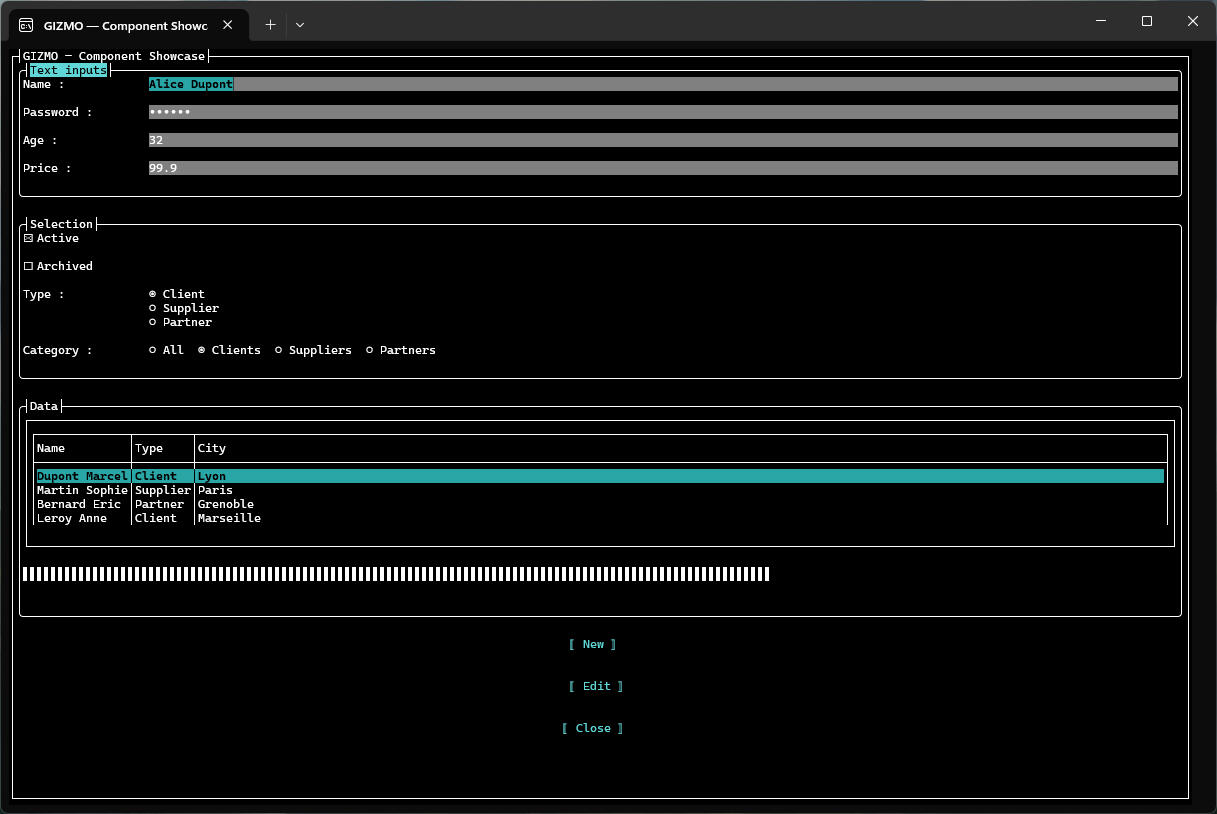
15 components, themes, dialogs and timers — all in a few lines of MOGWAI script.
Why GIZMO ?
🖥️ Terminal-native
True TUI powered by Terminal.Gui v2.
Runs in any terminal — Windows Terminal,
macOS Terminal, Linux console.
📜 MOGWAI scripting
Build complete UIs in a few lines of RPN
script. Components, events, timers,
dialogs — all declarative.
🚀 Cross-platform
Self-contained executables for Windows,
macOS and Linux. No .NET runtime required.
As simple as that
Download
Self-contained — no .NET runtime required

GIZMO is built on MOGWAI · Apache 2.0 · © 2026 Stéphane Sibué